
DOWNLOAD & EXPORT GUIDE
How to download an Instagram transcript.
Save spoken words from a public Reel or video post as TXT, SRT, or VTT.
Get an Instagram transcript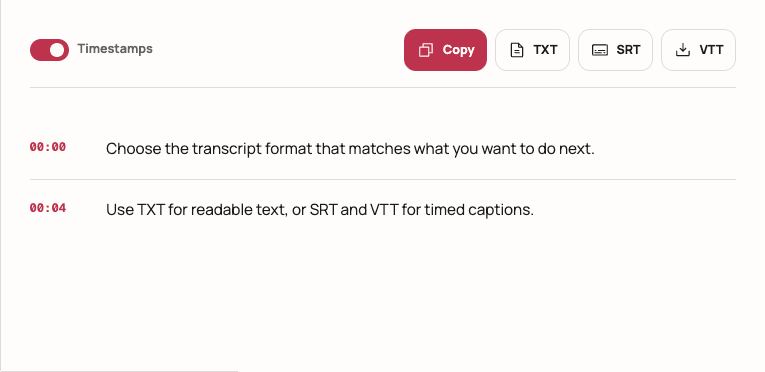
Download the result after transcription.
Paste a direct link to a public Instagram Reel or video post, generate the transcript, review the text, and choose an export. Use TXT for readable text. Use SRT or VTT for captions when timestamps are available.
From Instagram link to downloaded file.
Paste the public Instagram link
Open the Reel or video post, copy its direct URL, and paste it into the Instagram transcript tool. Profile, hashtag, Explore, private, and login-only pages are not valid video inputs.
Generate and review the transcript
Create the transcript, then read through names, punctuation, numbers, and any words covered by music or background noise. A quick review makes every export more useful.
Choose Copy, TXT, SRT, or VTT
Copy the result for a fast handoff, use TXT for a clean text document, or download SRT or VTT when the transcript includes reliable timestamps.
Paste the Instagram video link first.
CHOOSE THE RIGHT FORMAT
TXT vs. SRT vs. VTT.
The best download format depends on what you plan to do with the transcript next.
| Format | Best for | Timing |
|---|---|---|
| TXTPlain text | Reading, notes, quotes, drafts, and content repurposing | No timestamps required |
| SRTSubtitle file | Video editors, subtitle uploads, and common caption workflows | Requires timed segments |
| VTTWeb caption file | HTML5 video players, websites, and browser-based captions | Requires timed segments |
Give the transcript one human read.
- Check names and numbers
Proper nouns, handles, dates, and figures deserve a second look.
- Listen where the audio is unclear
Music, overlapping speech, and accents can reduce transcription accuracy.
- Use the transcript responsibly
Only process content you are allowed to access and reuse.
Already have your SRT? Import it into an editor and add subtitles to your Reel. If you wanted the post description or text visible in the video, choose the right method for copying Reel text.
COMMON QUESTIONS
Instagram transcript downloads, explained.
Can I download an Instagram transcript as a text file?
Yes. After a public Reel or video post is transcribed, copy the result or download it as a TXT file for reading, editing, or notes.
Which format should I download?
Choose TXT when you need words in a simple document. Choose SRT for most video-editing and subtitle workflows. Choose VTT for captions used in web video players.
Why can't I download SRT or VTT for every transcript?
Timed subtitle formats require reliable timestamps. When those timestamps are unavailable, TXT and copy remain the accurate options.
Does downloading a transcript also download the Instagram video?
No. Transcript export saves the spoken text, not the original Instagram video or audio file.